
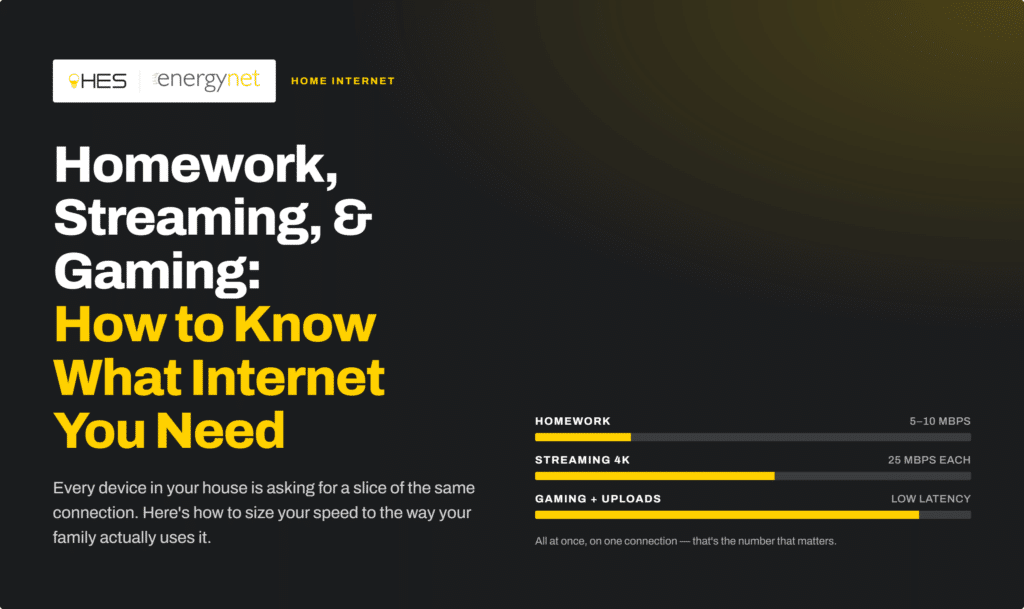
Your household runs on the internet more than it probably did even a couple of years ago. Homework is done through a school portal. Family movie night is a stream, not a DVD. Someone’s mid-match in an online game while someone else is on a video call in the next room. All of that is happening over the same connection, at the same time, and if your internet speed doesn’t match what your home actually asks of it, everyone feels it.
The tricky part is that “internet speed” isn’t one-size-fits-all. What a single person streaming shows in the evening needs looks nothing like what a family of five juggling school, work, gaming, and smart home devices needs. Here’s how to think about it and how to stop guessing.
Why “More Devices” Isn’t the Only Factor
It’s tempting to think bandwidth needs come down to a simple device count. More devices, more speed, right? That’s part of it — but how those devices are being used matters just as much as how many there are.
A household with ten devices that are mostly idle (a few smart bulbs, a thermostat, a couple of phones checking email) needs far less bandwidth than a household with four devices all actively streaming, gaming, and video calling at once.
The real question isn’t “how many things are connected?” — it’s “how many things are actively pulling data at the same time, and how demanding is each one?”
What Different Activities Actually Use
Here’s a rough sense of how common household activities stack up:
- Browsing, email, social media — Light usage. Barely registers against your total bandwidth.
- Streaming video — Moderate to heavy, and it scales with quality. A single 4K stream can use significantly more bandwidth than a standard HD stream, and running two or three 4K streams in different rooms adds up fast.
- Online gaming — Doesn’t require huge bandwidth on its own, but it’s extremely sensitive to latency (lag). Gaming alongside heavy streaming or large downloads on the same network is often what causes that frustrating lag mid-match.
- Video calls (school, work, or personal) — Moderate usage, but needs a stable, consistent connection — this is one area where a shaky connection is very noticeable, very fast.
- Large downloads and updates — Game installs, software updates, and cloud backups can spike usage significantly, even if just for a short window.
- Smart home devices — Individually light, but they add up in a home with many of them running continuously.
The households that feel the most friction are usually the ones stacking several of these at once during the same few hours, right around homework time, dinner, and evening streaming.
The Three Things That Actually Determine Your Ideal Speed
When you strip it down, the right internet speed for your home comes down to three things:
- How you use the internet. Light browsing and email is a very different household than one with multiple gamers, streamers, and remote workers.
- How many devices are connected and connected at once. Not just phones and laptops, but smart TVs, tablets, consoles, doorbells, thermostats, and everything else quietly online in the background.
- The size of your living space. A larger home means your WiFi signal has more distance and more walls to travel through, which affects how consistently that speed actually reaches every room.
Get those three right, and choosing a speed stops being a guessing game.
Skip the Guesswork: Try Our Speed Recommendation Tool
Rather than estimating or defaulting to “just get the fastest plan,” HES EnergyNet has a quick tool on our website built for exactly this. Answer three simple questions:
- How you use the internet
- How many devices connect in your home
- The size of your living space
…and it recommends the internet speed that actually fits your household — not more than you need, and not less than you’ll be frustrated by. It takes less time than reading this article, and it takes the guesswork out of picking a plan.
Speed Is Only Half the Story — Security Is the Other Half
A fast connection doesn’t mean much if it isn’t a safe one. With more devices connected — including things like smart cameras, thermostats, and voice assistants that quietly stay online around the clock — your home network is a bigger target than it used to be.
That’s why ProtectIQ is included with every HES EnergyNet speed tier, at no extra cost. ProtectIQ works in the background to help guard your home network against threats, giving you:
- Network-level threat protection that helps block malicious sites and attacks before they reach your devices
- Protection that covers every connected device on your network — not just the ones with antivirus software installed
- Peace of mind for smart home and IoT devices, which are often the least secure devices in a home but are just as connected as everything else
You don’t have to choose between a fast household and a protected one. With HES energynet, you get both, automatically.
The Bottom Line
The right internet speed isn’t about buying the biggest number on the price list — it’s about matching your plan to how your household actually lives online: homework during the week, movie nights on the weekend, gaming with friends, and everything running smoothly at the same time without anyone shouting “the WiFi is lagging!” from the other room.
Not sure where your household lands? Try our speed recommendation tool — three quick questions, and you’ll know exactly what speed fits your home. And with ProtectIQ included at every tier, you’ll have the security to match.