
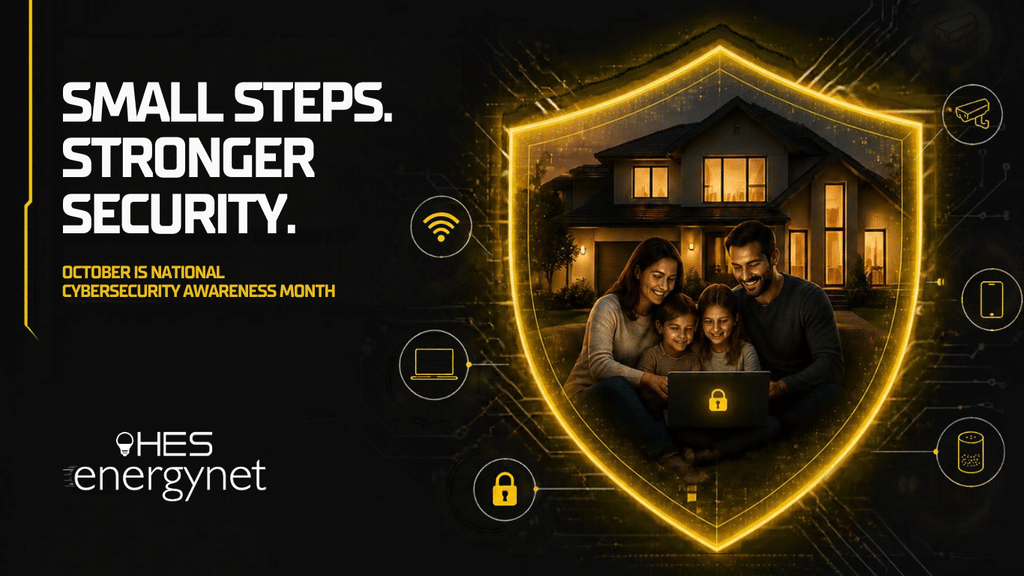
October is National Cybersecurity Awareness Month. It’s a yearly reminder that a few simple habits can protect your family’s personal information, your money, and your peace of mind. The good news? You don’t need to be a tech expert. Most of the protection comes from small steps anyone can take in an afternoon.
Why Your Home Network Matters More Than Ever
Think about everything connected in your home right now. Laptops and Chromebooks for school. Phones for every family member. Gaming consoles, smart TVs, tablets, video doorbells, and maybe a smart thermostat or speaker.
Every one of those devices is a door into your home network. Most are perfectly safe, but each one needs to be locked. Scammers and hackers don’t usually target a specific family. They look for the easiest open door, like a default password, an outdated device, or someone who clicks a convincing fake link.
The more devices and users in your home, the more important it is to have a plan. A fast, reliable fiber connection from EnergyNet gives your family room to stream, study, and game all at once. These tips help make sure that connection works for you and only you.
Step 1: Lock Down Your Wi-Fi
Your router is the front door to your digital home. A few quick changes make a big difference.
- Change the default Wi-Fi password. Pick a long passphrase, like four or five random words strung together. Length beats complexity, and it’s easier to remember.
- Change the router’s admin password, too. This is separate from your Wi-Fi password. It controls the router’s settings, and default admin logins are easy for strangers to look up.
- Use WPA3 or WPA2 security. Check your router settings to confirm encryption is turned on. Avoid older options labeled WEP or “open.”
- Keep your router updated. Firmware updates fix security holes. Many newer routers update on their own, but it’s worth checking.
- Set up a guest network. Give visitors, babysitters, and even smart home gadgets their own network. That keeps them separate from the computers where you bank, shop, and do schoolwork.
- Rename your network wisely. Skip your last name or street address in the Wi-Fi name. There’s no reason to advertise whose network it is.
Not sure how to get into your router settings? That’s what local support is for. The EnergyNet team can walk you through it.
Step 2: Strengthen Your Passwords (and Add a Second Lock)
Weak or reused passwords are still one of the most common ways accounts get broken into. If one website suffers a data breach, criminals try that same email and password everywhere else.
- Use a different password for every important account. Email, banking, and shopping accounts matter most. Your email is especially important because it’s used to reset everything else.
- Try a password manager. It creates and remembers strong passwords for you, so you only need to remember one. Many are free or low-cost, and most work across phones and computers.
- Turn on two-factor authentication (2FA). This sends a code to your phone or app when you log in. Even if someone steals your password, they can’t get in without that second step.
- Consider passkeys. Many major sites now let you sign in with your fingerprint, face, or phone PIN instead of a password. Passkeys are hard to steal and can’t be phished.
A good family project: sit down together and turn on 2FA for everyone’s email and gaming accounts. It takes about 15 minutes and protects you for years.
Step 3: Learn to Spot a Scam
The best firewall in your home is a family that knows what a scam looks like. Phishing messages arrive by email, text, phone call, and even social media. They’re designed to rush you into clicking, paying, or sharing information.
Common warning signs:
- Urgency or threats. “Your account will be closed today.” “Your power will be shut off in one hour.”
- Unusual payment requests. Gift cards, wire transfers, cryptocurrency, or payment apps are red flags.
- Links that don’t match. Hover over a link before clicking. If the web address looks odd or misspelled, don’t open it.
- Requests for personal information. Passwords, Social Security numbers, and account PINs should never be shared by text or email.
- Too good to be true. Free prizes, surprise refunds, and “you’ve won” messages are almost always fake.
A special word about utility scams. Scammers sometimes pretend to be a local utility, including electric and internet providers. They may call claiming your bill is past due and demand immediate payment to avoid a disconnection. If you ever get a call, text, or email like this, don’t pay and don’t click. Hang up and contact Hopkinsville Electric System directly using the phone number on your bill or our official website. We’re always happy to confirm whether a message is really from us.
Talk with your kids about this, too. Teach them to come to you before clicking a pop-up, downloading a “free” game add-on, or answering a message from someone they don’t know.
Step 4: Protect Smart Devices and Kids’ Tech
Smart home gadgets and kids’ devices are convenient, but they’re often the most overlooked part of home security.
For smart home devices:
- Change default passwords on cameras, doorbells, and smart plugs as soon as you set them up.
- Turn on automatic updates in each device’s app.
- Put these gadgets on your guest network when possible.
- Unplug or remove devices you no longer use.
For kids’ phones, tablets, and consoles:
- Revisit the parental controls we covered in August. Make sure they’re still on after any device updates.
- Require a parent’s approval for app and game downloads.
- Set social media and gaming profiles to private, and review friend lists together.
- Remind kids never to share their full name, school, address, or passwords online, even with “friends” in a game.
The goal isn’t to scare kids away from technology. It’s to help them build smart habits they’ll carry for life.
Your October Family Cybersecurity Checklist
Pick a weekend this month and work through this list together. Check off each item as you go.
- Change the Wi-Fi password and router admin password
- Confirm WPA2 or WPA3 security is turned on
- Check for router and device updates
- Set up a guest network for visitors and smart devices
- Turn on two-factor authentication for email, banking, and gaming accounts
- Try a password manager or passkeys for key accounts
- Change default passwords on smart home devices
- Review parental controls and privacy settings on kids’ devices
- Talk as a family about scam warning signs
- Save HES’s official phone number in your contacts so you can verify any suspicious message
Local Help When You Need It
Staying safe online doesn’t have to be complicated. A strong connection and a few good habits go a long way, and you don’t have to figure it out alone.
As your hometown provider, Hopkinsville Electric System and EnergyNet are here for more than just power and internet. If you have questions about your router, your Wi-Fi settings, or a message that doesn’t look right, give our local team a call. We’re your neighbors, and we’re glad to help.